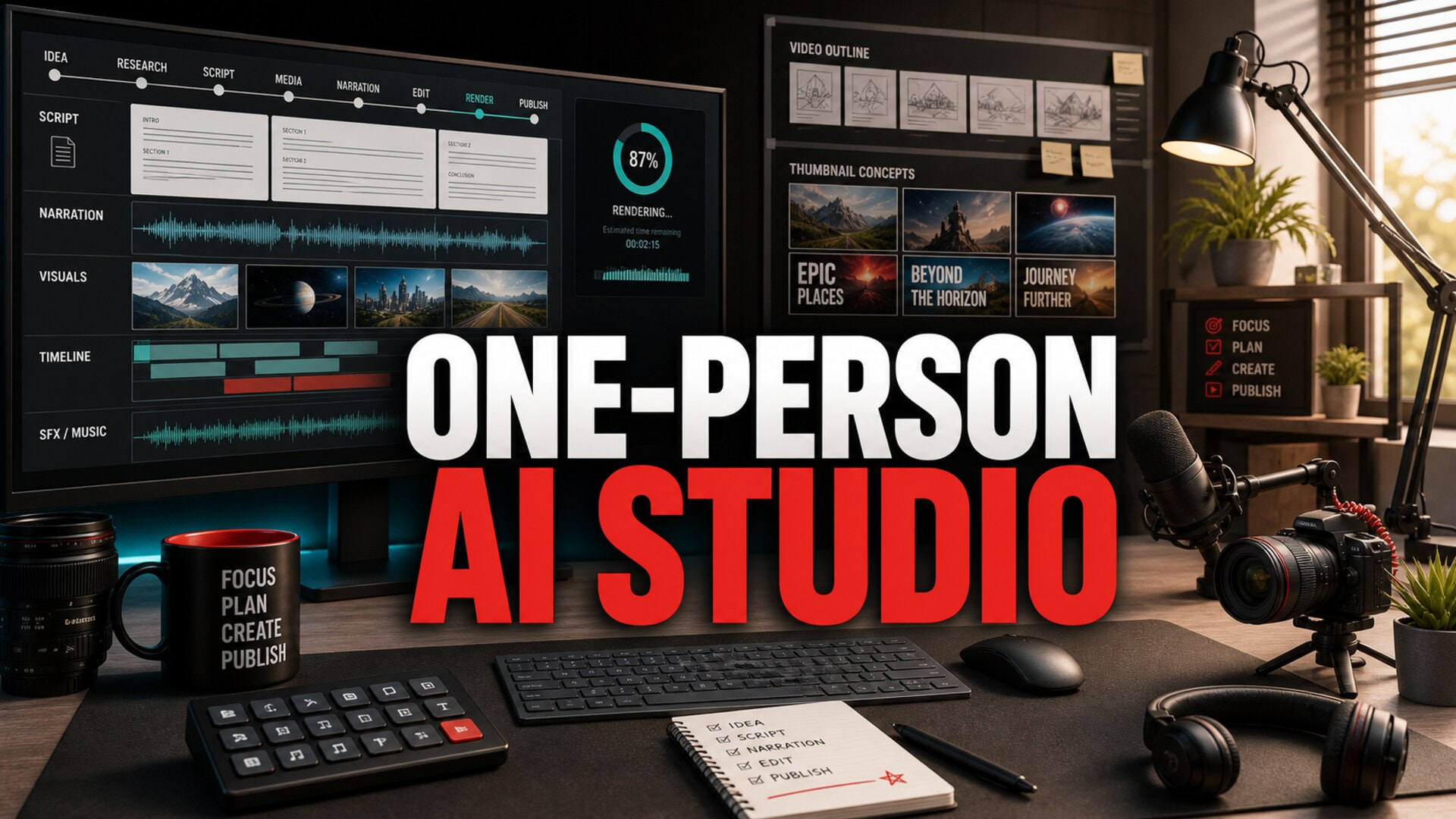
Long-form YouTube is starting to look less like casual posting and more like a small media business. That does not mean every creator needs a team, a studio lease, or a complicated content calendar. It means the work benefits from clearer roles, repeatable handoffs, and fewer decisions being remade from scratch every week.
That shift matters especially for faceless channels using AI. A single creator may be doing research, scripting, voice direction, visual planning, editing, thumbnail decisions, metadata, and quality control. When all of those jobs live in one messy folder and one long prompt thread, the channel becomes fragile fast.
The better model is a one-person AI video studio: a small operating system for making long-form videos with enough structure to stay consistent, but not so much structure that it kills momentum.
Why the One-Person Studio Model Fits 2026
YouTube CEO Neal Mohan’s 2026 letter described creators as businesses that increasingly resemble studios, not just individual uploaders. The same letter emphasized YouTube’s role as a stable creator economy and said the platform has paid more than $100 billion to creators, artists, and media companies over the previous four years.
At the same time, long-form video is getting renewed attention from brands and publishers because it can hold deeper attention than fast social feeds. Recent coverage from Vogue framed YouTube’s long-form return as a brand storytelling opportunity, while AI filmmaking coverage keeps pointing to the same practical lesson: better tools help, but the creators who win still plan scenes, continuity, and production decisions before generating assets.
For a faceless channel, that creates a clear opportunity. You do not need a full staff. You need the habits of a studio compressed into a solo workflow.
Split the Work Into Roles, Even If You Do Them All
The mistake is thinking, “I am the creator, so I just make the video.” That sounds efficient, but it blurs decisions that should be separate.
A one-person studio works better when you define roles:
- Researcher: chooses the topic, collects sources, and decides what the video must actually prove.
- Showrunner: defines the promise, angle, pacing, and target viewer.
- Writer: turns the research into a structured script.
- Voice director: decides narration tone, speed, pronunciation, and emotional restraint.
- Visual producer: maps the script into scenes, image prompts, stock footage needs, and motion ideas.
- Editor: assembles the episode into something watchable.
- Publisher: handles title, thumbnail, description, chapters, and final upload checks.
- Quality reviewer: looks for factual errors, repetition, audio issues, visual mismatches, and monetization risks.
You may still be one person. The point is to change hats deliberately. When you write, do not also judge the thumbnail. When you review, do not keep rewriting the whole script. This prevents the production from becoming one endless soup of half-decisions.
Build a Workflow With Gates, Not Just Tasks
Most creators already have a task list. What they lack is a gate system.
A task says, “write the script.” A gate says, “the script is allowed to move forward only when the topic promise is clear, the sources are saved, the opening explains why the viewer should care, and every major section earns its place.”
For long-form faceless videos, a simple gate system might look like this:
- Topic gate: the idea matches the channel promise and can support 10-30 minutes without padding.
- Research gate: sources, examples, and claims are collected before the script is drafted.
- Script gate: the structure is coherent, the intro is specific, and the ending resolves the promise.
- Voice gate: narration style, pronunciation notes, and pacing are approved before final audio.
- Visual gate: scenes are mapped before generation or stock selection begins.
- Render gate: audio, visuals, captions, and pacing are checked before exporting.
- Publish gate: title, thumbnail, description, chapters, and disclosures are reviewed together.
This does not need to be bureaucratic. A gate can be a five-line checklist. The important part is that each stage has a definition of “done.” Without that, AI tools make it easy to generate more material while the actual video remains unresolved.
Treat AI as Production Capacity, Not a Substitute for Direction
AI can speed up scripts, voiceovers, images, edits, and thumbnails. But speed only helps when the creator has already made the core decisions.
A vague prompt can produce a usable paragraph. It cannot reliably produce a channel identity. A video generator can create impressive shots. It cannot know which visual motif should repeat across your channel unless you define it. A voice model can narrate quickly. It cannot decide whether your sleep history channel should sound scholarly, dry, cozy, eerie, or documentary-like.
This is where the studio mindset pays off. You are not just asking AI to make a video. You are giving each tool a specific production job inside a larger system.
For example, a strong script handoff might include:
- target viewer
- topic promise
- desired runtime
- section outline
- source notes
- pacing rules
- words to avoid
- tone references
- visual constraints
- monetization sensitivities
That handoff gives AI less room to drift. It also makes your own review easier because you can compare the output against the brief instead of relying on a vague feeling.
Keep a Studio Bible for Repeatable Decisions
The more long-form videos you publish, the more expensive inconsistency becomes. Not just visually, but operationally.
A studio bible is a lightweight document that stores decisions you do not want to remake every episode. It can include:
- channel promise
- audience profile
- approved topic lanes
- title patterns
- intro structure
- section pacing
- narration tone
- thumbnail rules
- visual style notes
- music and sound bed rules
- citation and rights standards
- final upload checklist
This is especially useful for faceless channels because viewers often recognize the channel through format, tone, pacing, and packaging rather than a host’s face. If every video feels like it came from a different channel, returning viewers have less to latch onto.
The studio bible should stay short. If it becomes a giant manual nobody wants to use, it will die quietly in a folder. Start with one page, then add rules only after they save real production time.
Use a Weekly Production Rhythm
A solo creator does not need to work like a newsroom, but the week should have a rhythm.
One practical rhythm is:
- Day 1: choose topic and research
- Day 2: draft and revise script
- Day 3: generate or record voiceover
- Day 4: plan visuals and assemble media
- Day 5: edit, render, and review
- Day 6: thumbnail, metadata, and publish prep
- Day 7: rest, analyze, or batch the next topic
The exact schedule matters less than the separation. If every day is “work on the video,” the project expands until it consumes the week. If each day has a role, you can see where the bottleneck actually is.
Some channels will batch research for four videos at once. Others will batch voiceovers or thumbnails. The right batching point is the stage where context switching hurts you most.
How AutoTube.pro Fits Into This Workflow
A one-person studio becomes much easier when the production stages live closer together. AutoTube.pro is built for long-form faceless creators who want one workflow for script, voiceover, media generation, rendering, and thumbnail creation instead of juggling a scattered stack of tools.
That matters because most solo creators do not burn out from one hard task. They burn out from the handoffs: copying scripts between apps, regenerating voiceovers, tracking visual prompts, fixing exports, rebuilding thumbnails elsewhere, and trying to remember which version is final.
With AutoTube.pro, the studio model can be more compact. You can move from idea to script, voiceover, visuals, render, and thumbnail inside a single production environment. The built-in Canvas-style thumbnail editor also keeps packaging close to the video itself, which is helpful when title, visual promise, and episode angle need to line up.
It is not a replacement for taste, judgment, or review. It is a way to reduce operational drag so the creator can spend more energy on the decisions that make the channel worth watching.
FAQ
Can one person really run a long-form faceless YouTube channel?
Yes, but only if the workflow is narrow and repeatable. A solo creator should avoid running too many formats at once. One strong repeatable format is usually more sustainable than five disconnected experiments.
Does YouTube penalize AI voiceover?
No, YouTube does not automatically penalize AI voiceover. The bigger issue is whether the content is original, useful, and not mass-produced or repetitive. Creators should also follow disclosure requirements when realistic altered or synthetic content could mislead viewers.
Is AI-generated content monetizable?
AI-generated content can be monetizable when it adds original value and follows YouTube Partner Program rules. Low-effort, repetitive, or reused content is much riskier. The safest approach is to use AI as part of a thoughtful production process, not as a content spam machine.
How long should faceless videos be for good RPM?
There is no universal length that guarantees strong RPM. Long-form videos often create more room for mid-roll ads and deeper viewer intent, but only if retention holds. Choose a length your topic can genuinely support without padding.
What should a solo creator automate first?
Automate the most repetitive handoffs before automating creative judgment. Script formatting, voiceover generation, visual prompt organization, render setup, and thumbnail versioning are good candidates. Topic choice, angle, source review, and final quality control still deserve human attention.
Final Thought
The one-person AI video studio is not about pretending to be a giant media company. It is about giving a solo creator enough structure to publish consistently without losing the thread.
If your current process depends on scattered documents, disconnected tools, and memory, build the studio system first. Then use AI to speed up the parts of the system that are already clear.