Long-form faceless videos are not hard because they are faceless. They are hard because the viewer has no human face to keep re-centering their attention.
That makes structure do more of the work. The script has to carry curiosity. The voiceover has to signal momentum. The visuals have to change for a reason. The edit has to make the next minute feel earned.
A retention map is a simple planning document that helps you design those decisions before production starts. Instead of writing a script, generating visuals, recording narration, and hoping the video holds attention, you map the likely viewer journey first.
This matters even more in 2026 because long-form YouTube is becoming more serious again. Creators are treating episodes like durable assets, brands are paying attention to deeper viewing sessions, and AI tools have made it easy to produce more video than your audience actually wants. The advantage is not just speed. It is making every long video easier to stay with.
What a Retention Map Actually Does
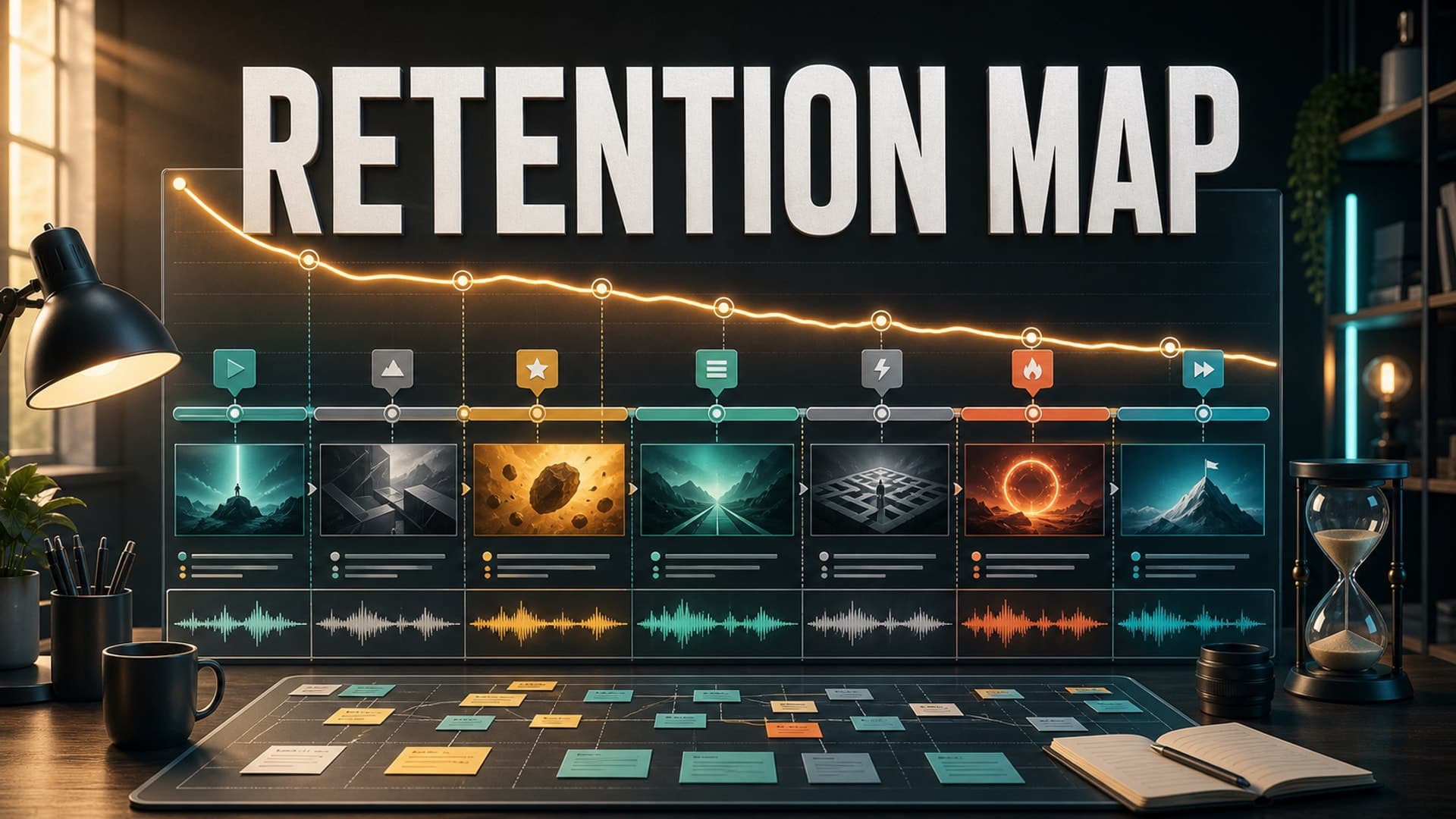
A retention map connects the promise of the video to the moments where viewers are most likely to leave.
Think of it as a production outline with tension built in. It does not replace the script. It tells the script what jobs it has to perform.
For a 20-minute explainer, the map might show the opening hook, the first payoff, the first visual reset, the midpoint escalation, the most important proof section, and the final takeaway. For a 90-minute sleep documentary, it might show a softer path: calm open, gentle context, recurring story anchors, low-friction transitions, and enough variation to avoid becoming mush.
The goal is not to manipulate viewers with constant interruptions. The goal is to remove dead zones before they reach the edit.
Start With the Viewer Promise
Before you map retention, write the viewer promise in one sentence.
Not the topic. Not the title. The promise.
A topic is: “The fall of an ancient city.” A promise is: “You will understand why this city collapsed slowly, and why the warning signs were ignored.”
A topic is: “AI tools for productivity.” A promise is: “You will leave with a cleaner workflow for deciding which AI tools deserve a place in your day.”
The promise matters because every retention decision should protect it. If a section does not move the viewer closer to that promise, it is probably padding. Faceless channels often lose retention because they mistake information volume for value. More facts, more scenes, more generated visuals, and more narration do not automatically create a better long-form video.
Write the promise at the top of the retention map. Then make every section answer one question: why should the viewer keep watching now?
Map the First Three Minutes More Carefully Than the Rest
Most long-form videos are won or weakened early.
For faceless content, the opening has three jobs. It has to confirm that the viewer clicked the right video. It has to create a reason to stay beyond the first answer. It has to establish the pacing language of the episode.
A practical first-three-minute map can look like this:
0:00-0:20: confirm the title promise with a specific problem, mystery, or outcome.0:20-0:50: preview the stakes without summarizing the whole video.0:50-1:40: deliver the first useful or intriguing payoff.1:40-3:00: open the next loop so the video does not feel complete too early.
This is especially important for AI-assisted production because generated scripts often spend too long introducing obvious context. If the viewer clicked a video about why an empire collapsed, they do not need a generic paragraph explaining that empires can rise and fall. They need a reason this specific story is worth their next 20 minutes.
Add Retention Beats Before You Generate the Script
A retention beat is a planned shift in attention.
It can be a question, reveal, contradiction, example, visual reset, chart, quote, scene change, mini-summary, or emotional turn. The point is to avoid letting the video become one flat stream of narration.
For long-form faceless videos, place a beat every 60-120 seconds in standard explainer or documentary formats. For sleep-oriented narration, make the beats gentler and wider apart. The viewer should feel guided, not jolted.
Useful retention beats include:
- A mini-hook at the start of each major section.
- A “but the real problem was...” turn after setup.
- A concrete example after abstract explanation.
- A visual reset when the narration changes location, time, or idea.
- A short recap before a complex section.
- A payoff that answers an earlier open loop.
Do this before script generation, not after. If you wait until editing, the structure is already baked into the voiceover, visuals, and timing. Fixing retention late usually means cutting around a weak plan.
Design Voiceover Pacing as Part of the Map
Voiceover is not just audio quality. It is retention architecture.
A technically clean AI voice can still lose viewers if every sentence has the same rhythm. Long-form faceless videos need variation in sentence length, pause placement, emphasis, and emotional temperature.
Add voiceover notes directly into the retention map. Mark where the narrator should slow down, where a sentence needs more weight, where a transition should feel lighter, and where a pause gives the viewer time to absorb an idea.
This is useful even if you are using a human narrator. It is essential if you are using AI voiceover, because the script has to contain more of the performance direction. Write for the ear, not just the page.
A good test is to read only the section openings out loud. If every section starts with the same rhythm, the video will probably feel more repetitive than you expect.
Connect Visual Changes to Meaning
Faceless creators often try to fix retention with more visuals. That can help, but only if the visual changes are connected to the viewer’s understanding.
A retention map should specify why the visual changes, not just when it changes.
For example:
- New location: the story has moved to a different place.
- New timeline card: the chronology has shifted.
- New diagram: the viewer needs a mental model.
- New close-up: this detail matters.
- New atmosphere: the emotional tone has changed.
This keeps AI visuals, stock footage, captions, maps, and motion graphics from becoming decorative noise. The viewer should feel that each visual choice reduces effort.
For long videos, this also helps production. You can generate media in batches around planned sections instead of improvising scene by scene.
Use Published Videos to Improve the Next Map
A retention map becomes more valuable after you publish.
YouTube Studio’s audience retention reports and key moments can show where viewers stayed, replayed, or dropped. Do not treat that graph as a grade on one video only. Treat it as feedback for the next production map.
Look for patterns:
- Do viewers leave during broad introductions?
- Do they stay through examples but leave during definitions?
- Do visual-heavy sections hold better than talking-head-style narration?
- Do chapters help viewers navigate longer episodes?
- Do viewers drop after the first payoff because the next loop is weak?
After a few uploads, you should have a channel-specific retention playbook. That is much more useful than copying generic rules from another niche.
How AutoTube.pro Fits Into This Workflow
Once you have a retention map, the production process becomes easier to automate because each stage has a clear job.
AutoTube.pro is useful here because it keeps the long-form faceless pipeline in one place: script -> voiceover -> media -> render -> thumbnail. Instead of moving the same idea across separate writing tools, voice tools, image generators, editors, render queues, and thumbnail apps, you can keep the structure of the video attached to the production flow.
For a retention-focused workflow, that means you can turn a planned outline into a script, generate narration, create supporting visuals, render the episode, and build a thumbnail without constantly rebuilding context between tools. The built-in Canvas-style thumbnail editor also helps keep the click promise aligned with the video promise, which matters because retention starts with the expectation set before the viewer presses play.
The important point is not that automation replaces judgment. It is that a retention map gives automation better instructions.
FAQ
What is a good audience retention rate for long-form YouTube videos?
It depends on the niche, length, topic, and viewer intent. A 12-minute tutorial, a 45-minute documentary, and a 2-hour sleep story should not be judged by the same number. Focus first on improving your own channel’s patterns from upload to upload.
Does YouTube penalize AI voiceover?
YouTube does not automatically penalize a video just because it uses AI voiceover. The bigger issue is whether the content is original, useful, and satisfying to viewers. Thin, repetitive, or misleading videos are risky no matter how the voice was made.
Is AI-generated faceless content monetizable?
AI-generated content can be monetizable when it adds clear original value and follows YouTube’s policies. Channels should avoid reused, mass-produced, or low-effort videos that simply assemble generic narration and visuals. Strong scripting, review, rights tracking, and meaningful editing all matter.
How long should a faceless video be for good retention?
The right length is the length your promise can sustain. Many faceless formats work well from 10-30 minutes, while narrated sleep, documentary, and story formats can go much longer when pacing is intentional. Do not stretch a weak idea just to create more watch time.
Should I add chapters to long-form faceless videos?
Chapters can help viewers understand the structure and return to useful sections. They are especially helpful for explainers, tutorials, documentaries, and educational videos. For narrative or sleep formats, use them carefully so they support the experience rather than making it feel fragmented.
Final Thought
A retention map is not a growth hack. It is a discipline for respecting the viewer’s time before you start producing.
If you are building long-form faceless videos with AI, start with the map, then let your tools execute a clearer plan. AutoTube.pro can help turn that plan into a finished video without scattering the workflow across half a dozen apps.